My flutter development setup
Title: My Flutter development setup
I want to tell you how I set up my computer to work on flutter apps.
I do this with a freshly installed Windows 10. However, the steps would be similar for any OS you choose.
Steps:
- Download everything
- Place it somewhere
- Install Android Studio
- Install Android Studio and VS Code
- Set Environment variables
- Install flutter plugins in IDEs
Download everything
- Flutter SDK from https://flutter.dev/setup
- Android studio https://developer.android.com/studio
- VScode https://code.visualstudio.com/download
- scrcpy https://github.com/Genymobile/scrcpy/releases/tag/v1.16
Place it somewhere
- Unzip and place flutter SDK in c:/SDK
- Unzip scrcpy and place it in c:/TOOLS
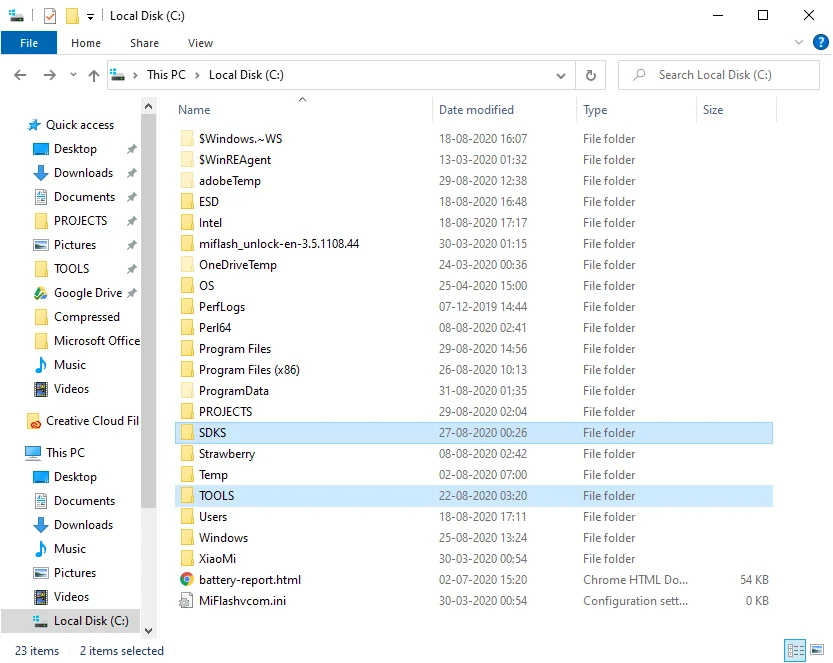
My folder structure
Install Android Studio and VS Code
Choose the SDK path as c:/SDK/android-sdk
Let the installation complete.
Install VS code normally, the way you would any software.
Set Environment variables
Add paths to the Path variable. For me, these are the paths I have added.
- C:\SDKS\flutter\bin
- C:\SDKS\android\platform-tools
- C:\TOOLS\scrcpy
- C:\Program Files\Android\Android Studio\jre\bin
Note: your paths may differ from this. Act accordingly
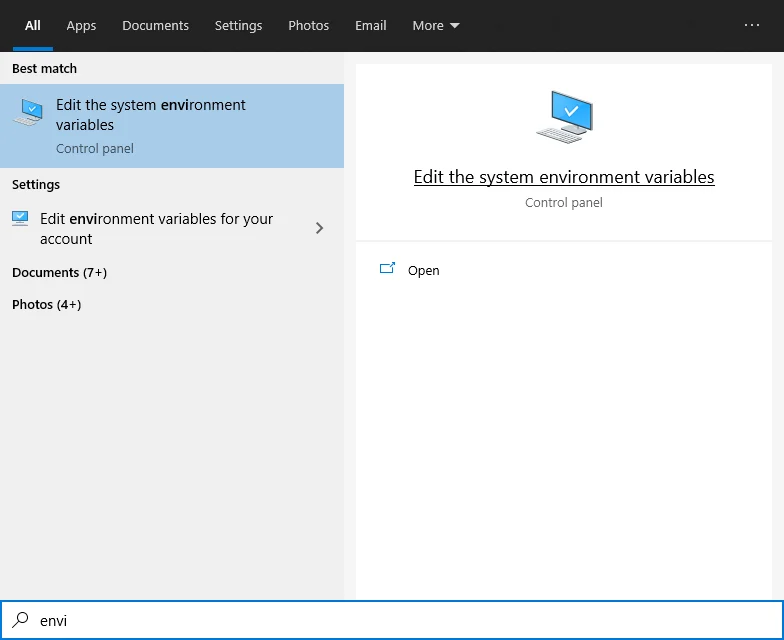
Find “Environment variables” from start menu
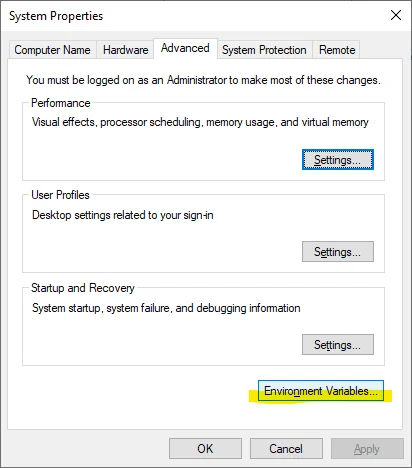
Click on “Environment Variables”
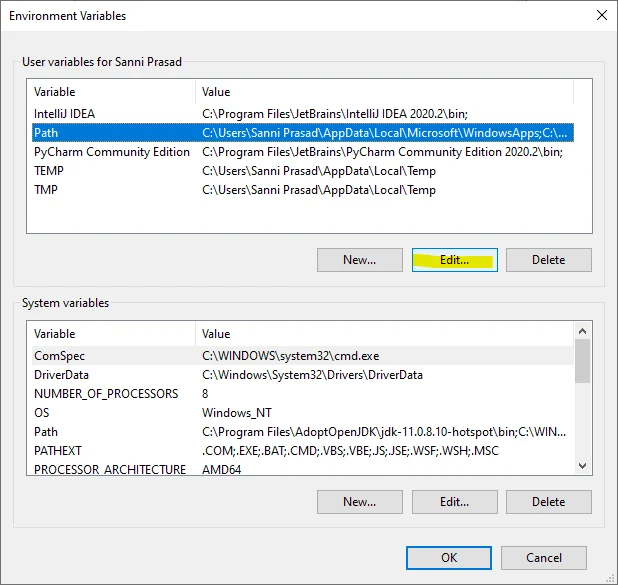
Select Path and click edit
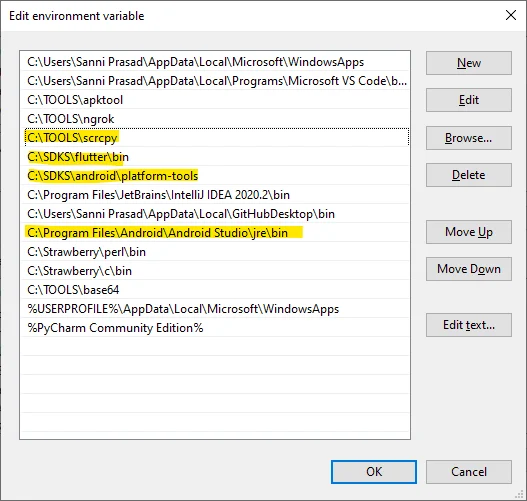
Add appropriate paths to here by pressing New
Install flutter plugins
Install flutter plugin in android studio and vs code.
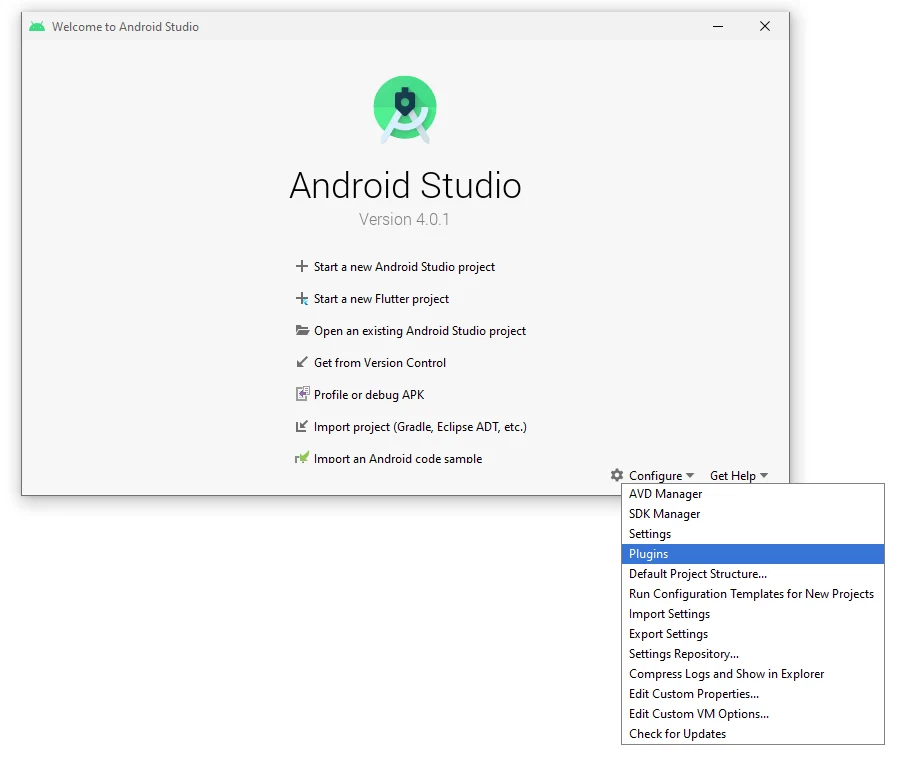
Open Plugins settings in android studio
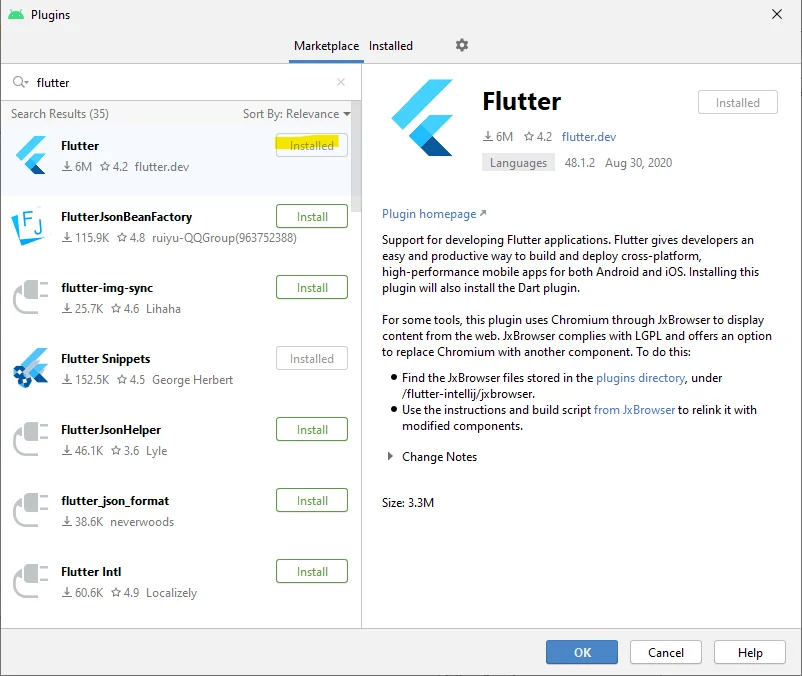
Install the Flutter plugin. Dart will be automatically installed with it
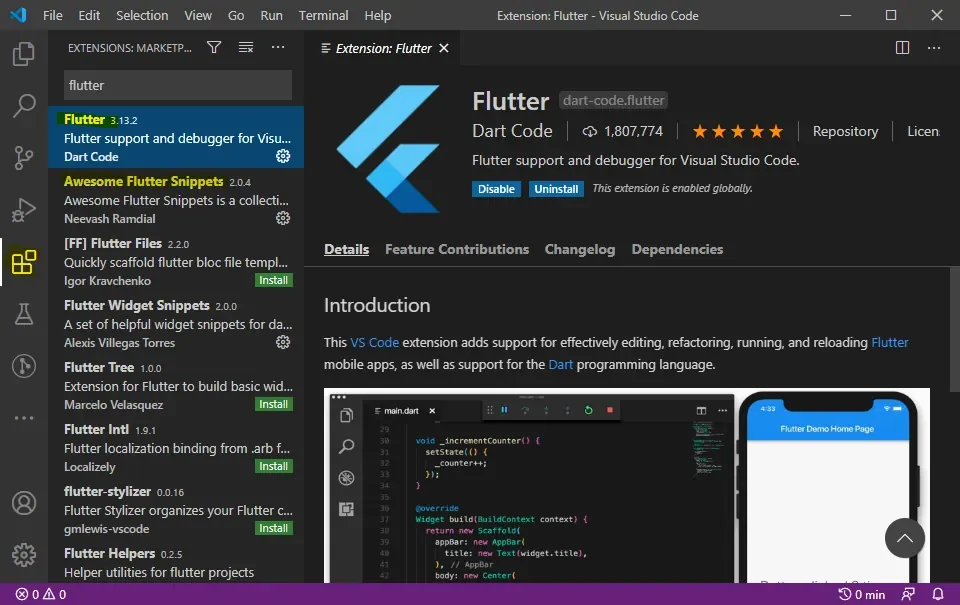
Install the Flutter plugin in VS Code. Optionally install Awesome Flutter Snippets for super productive development experience
Restart your computer to make sure environment variables are loaded.
That's all.
Originally published on Medium.