SuperFast(<1sec) web view load times with Flutter

Article Banner: Speedup Flutter webview
Loading large websites can take time, resulting in user dissatisfaction. We will learn how to preload websites to speed up load times to less than 1 second.
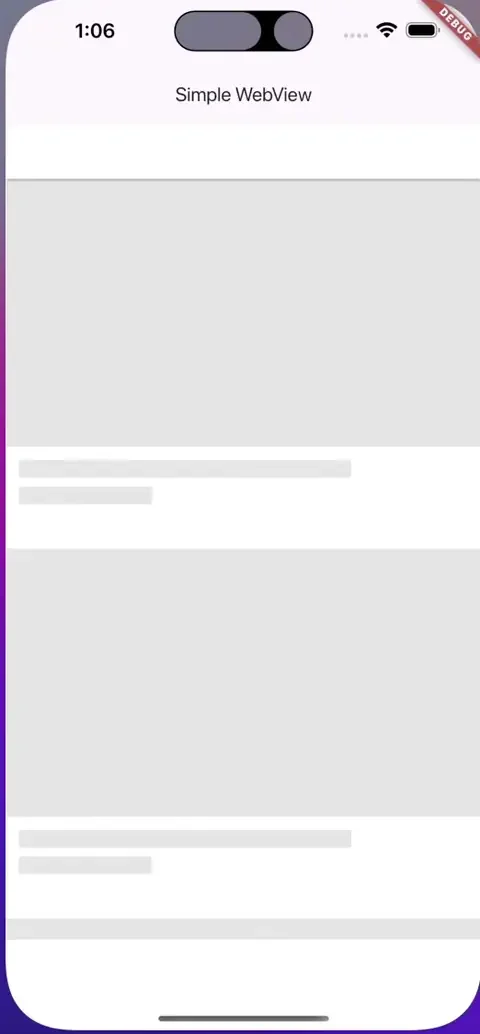
Let’s take a large website “https://www.youtube.com”, Its fast but it certainly takes some time to load things like thumbnails. On slower networks, it can be longer.
To show a web view to user, you may simply load it when the user requests to open it.
Example of simple implementation using _webview_flutter_:
var controller = WebViewController()
                ..loadRequest(Uri.parse('https://youtube.com'));

// in your build method:
WebViewWidget(controller: controller)
This will start loading YouTube when the widget becomes visible, which will take time.
Let’s speed it up
Let’s see how we can user Headless Webview to preload content even before user opens the webview.
We are going to use a package called _flutter_inappwebview._ It has a feature where you can load websites in the background and when a user request for it, show it using a widget immediately, resulting fast perceived load times.
Here is how to do it.
Shorter version:
- create an instance using headlessWebView = HeadlessInAppWebview()
- Start loading it using headlesswebview.run()
- convert it to regular webview using InAppWebView(headlesswebview: headlessWebview)
Full version:
Read comments inside code for hints.
Feel free to test it by copying the whole code
Future main() async {
  WidgetsFlutterBinding.ensureInitialized();

  if (!kIsWeb && defaultTargetPlatform == TargetPlatform.android) {
    await InAppWebViewController.setWebContentsDebuggingEnabled(kDebugMode);
  }

  runApp(const MaterialApp(home: MyApp()));
}

class MyApp extends StatefulWidget {
  const MyApp({super.key});

  @override
  State<MyApp> createState() => _MyAppState();
}

class _MyAppState extends State<MyApp> {
  HeadlessInAppWebView? headlessWebView;
  PullToRefreshController? pullToRefreshController;
  InAppWebViewController? webViewController;

  String url = "";
  int progress = 0;
  bool convertFlag = false;

  @override
  void initState() {
    super.initState();

    pullToRefreshController = kIsWeb ||
            ![TargetPlatform.iOS, TargetPlatform.android]
                .contains(defaultTargetPlatform)
        ? null
        : PullToRefreshController(
            settings: PullToRefreshSettings(
              color: Colors.blue,
            ),
            onRefresh: () async {
              if (defaultTargetPlatform == TargetPlatform.android) {
                webViewController?.reload();
              } else if (defaultTargetPlatform == TargetPlatform.iOS ||
                  defaultTargetPlatform == TargetPlatform.macOS) {
                webViewController?.loadUrl(
                    urlRequest:
                        URLRequest(url: await webViewController?.getUrl()));
              }
            },
          );

// ########## -- Read here --- ####
// this is us creating a full fleged webview but headless
    headlessWebView = HeadlessInAppWebView(
      initialUrlRequest: URLRequest(url: WebUri("https://youtube.com")),
      initialSettings: InAppWebViewSettings(isInspectable: kDebugMode),
      pullToRefreshController: pullToRefreshController,
      onWebViewCreated: (controller) {
        webViewController = controller;

        const snackBar = SnackBar(
          content: Text('HeadlessInAppWebView created!'),
          duration: Duration(seconds: 1),
        );
        ScaffoldMessenger.of(context).showSnackBar(snackBar);
      },
      onLoadStart: (controller, url) async {
        setState(() {
          this.url = url?.toString() ?? '';
        });
      },
      onProgressChanged: (controller, progress) {
        setState(() {
          this.progress = progress;
        });
      },
      onLoadStop: (controller, url) async {
        setState(() {
          this.url = url?.toString() ?? '';
        });
      },
    );
  }

  @override
  void dispose() {
    super.dispose();
    headlessWebView?.dispose();
  }

  @override
  Widget build(BuildContext context) {
    return Scaffold(
        appBar: AppBar(
            title: const Text(
          "HeadlessInAppWebView to InAppWebView",
          textScaleFactor: .8,
        )),
        body: Column(children: <Widget>[
          Container(
            padding: const EdgeInsets.all(20.0),
            child: Text(
                "URL: ${(url.length > 40) ? "${url.substring(0, 40)}..." : url} - $progress%"),
          ),
          !convertFlag
              ? Center(
                  child: ElevatedButton(
                      onPressed: () async {
                        var headlessWebView = this.headlessWebView;
                        if (headlessWebView != null &&
                            !headlessWebView.isRunning()) {

// ##### loading the headlesswebview in bg
                          await headlessWebView.run();
                        }
                      },
                      child: const Text("Run HeadlessInAppWebView")),
                )
              : Container(),
          !convertFlag
              ? Center(
                  child: ElevatedButton(
                      onPressed: () {
                        if (!convertFlag) {
                          setState(() {
                            convertFlag = true;
                          });
                        }
                      },
                      child: const Text("Convert to InAppWebView")),
                )
              : Container(),
          convertFlag
              ? Expanded(
                  child: InAppWebView(
// ### --- this is how to convert it to a regular visible webview
                  headlessWebView: headlessWebView,
                  onWebViewCreated: (controller) {
                    headlessWebView = null;
                    webViewController = controller;

                    const snackBar = SnackBar(
                      content: Text(
                          'HeadlessInAppWebView converted to InAppWebView!'),
                      duration: Duration(seconds: 1),
                    );
                    ScaffoldMessenger.of(context).showSnackBar(snackBar);
                  },
                  onLoadStart: (controller, url) {
                    setState(() {
                      this.url = url?.toString() ?? "";
                    });
                  },
                  onProgressChanged: (controller, progress) {
                    if (progress == 100) {
                      pullToRefreshController?.endRefreshing();
                    }
                    setState(() {
                      this.progress = progress;
                    });
                  },
                  onLoadStop: (controller, url) {
                    pullToRefreshController?.endRefreshing();
                    setState(() {
                      this.url = url?.toString() ?? "";
                    });
                  },
                  onReceivedError: (controller, request, error) {
                    pullToRefreshController?.endRefreshing();
                  },
                ))
              : Container()
        ]));
  }
}
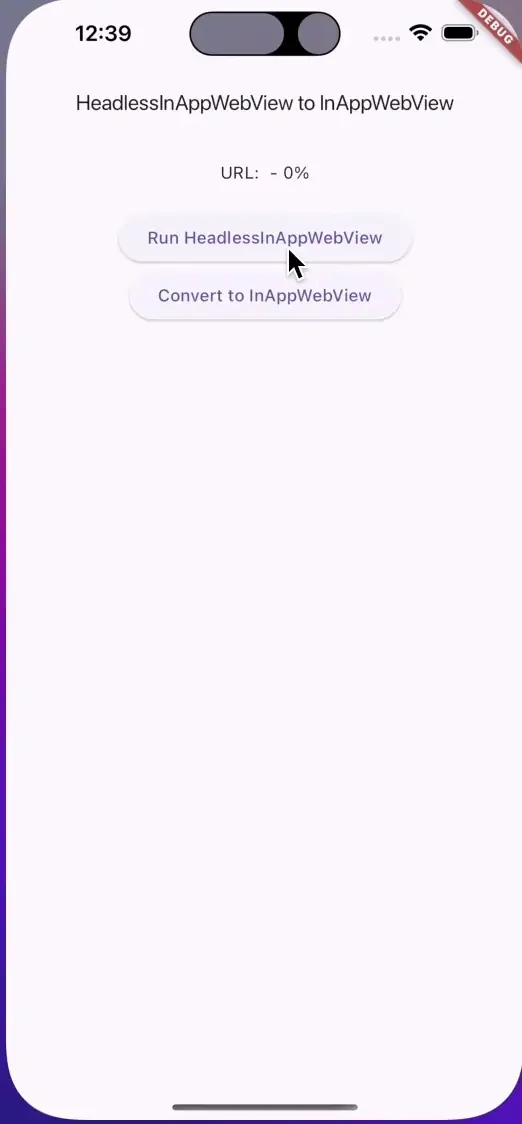
Result:
Originally published on Medium.